
We have detected that you are using an unsupported browser. To ensure the security of your account, you must update your browser to the latest version.
Nous avons détecté que vous utilisez un navigateur qui n’est pas pris en charge. Pour assurer la protection de votre compte, vous devez mettre votre navigateur à jour avec la dernière version.
Your first-party cookies are currently disabled. You will not be able to access all of the functionalities on this website. To enable your first-party cookies, please follow the directions at https://www.whatismybrowser.com/guides/how-to-enable-cookies/auto.
Vos cookies internes sont actuellement désactivés. Ces cookies sont requis pour accéder à toutes les fonctionnalités de ce site web. Pour activer vos cookies internes, veuillez suivre les directives à l'URL suivante: https://www.whatismybrowser.com/guides/how-to-enable-cookies/auto.

MDExO Direct logo

Risk profile questionnaire review guide

This interactive guide is designed to assist with your Risk Profile Questionnaire review, making the experience easy and efficient.
1

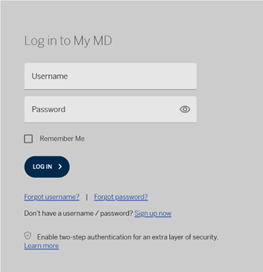
Access your MYMD profile by securely logging in through login.mdm.ca.

2

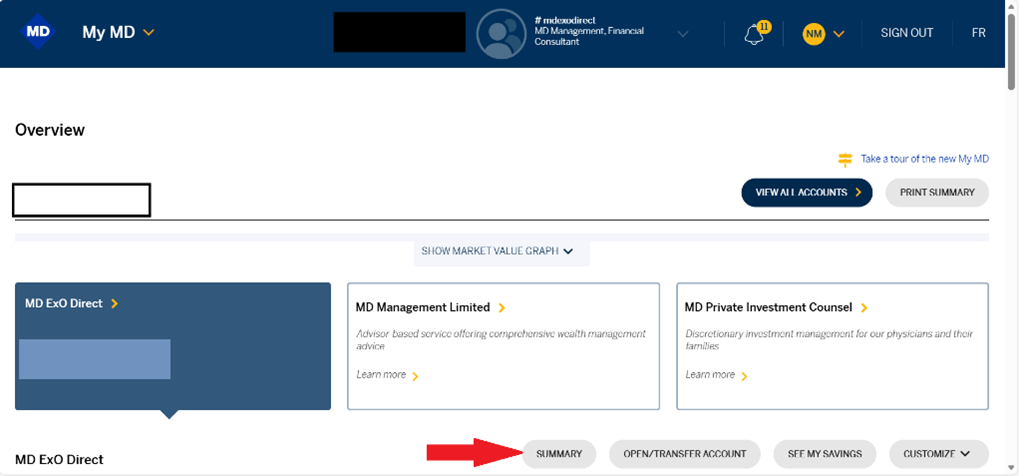
Once logged in, click on the “SUMMARY” tab under the ExO Direct offering.
3

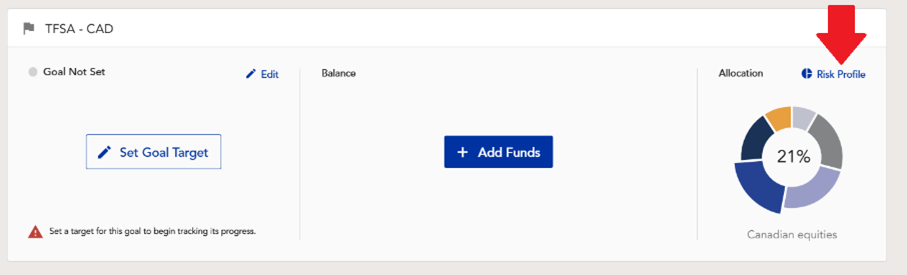
Locate and click the “Risk Profile” button. Note, this step will need to be completed for each account you own.
4

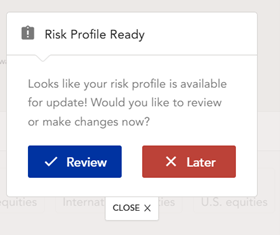
Click “Review” to review the current Risk Profile Questionnaire.
5

Review the questionnaire. Has anything changed? If yes, make the necessary adjustments.
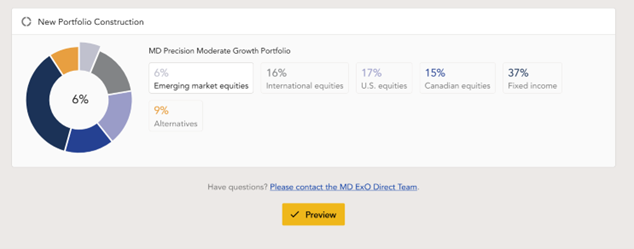
Click “preview” to view the recommended investment.
6

If comfortable with the recommended investment, click submit.
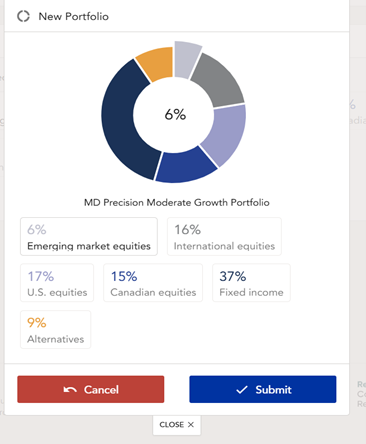
Once you have reviewed and submitted your new risk profile(s) we will forward you a prepared Know Your Client (KYC) form to review, sign and return.

Contact Us

If you need more information please call the MD Exo® Direct Advisory team at 1 800 267-2332 and choose option 4 when prompted.