Multi-factor authentication
How does it work?
When you set up MFA, you’ll be asked to enter an OTP to confirm your identity when you log in to My MD from a computer, device or browser we don’t recognize.
How do I receive the OTP?
You will receive an OTP by text message.

Text message
Once you receive your OTP, simply enter it when prompted as part of the login process. The OTP is valid for 60 minutes. After that, you must request a new OTP. Standard wireless carrier message and data rates may apply. Never share this passcode with anyone.
How do I set up multi-factor authentication?
If you don’t already have MFA enabled, you’ll be prompted to set it up the next time you log in to My MD. Simply follow the on‑screen instructions.
Log into My MD. If you do not already have MFA enabled, a message will direct you to the MFA set-up process.
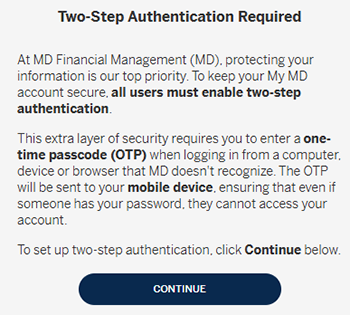
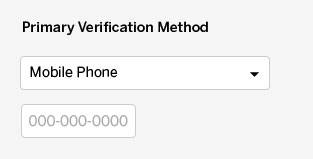
Enter the mobile phone number you want to use as your primary verification method.
To update your phone number, please contact your MD Advisor* or MD Client Services at 1 800 267-2332 (Monday to Thursday, 8 a.m. to 8 p.m. ET, Friday, 8 a.m. to 6 p.m. ET).
Use the verification code to log in to My MD
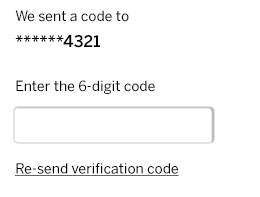
Once the correct OTP is entered, your multi-factor authentication will be active. You’ll be prompted each time you log in unless you choose to “trust” your device, which reduces prompts to once every 90 days.
Talk to us
Call 1 800 267-2332 (Monday to Thursday, 8 a.m. to 8 p.m. ET, Friday, 8 a.m. to 6 p.m. ET), or email mdsupport@md.ca if you need support.